
Subaru Crosstrek Owners Manual: Beep volume setting
1. Perform the preparation steps according to "Preparation for image quality and volume settings"
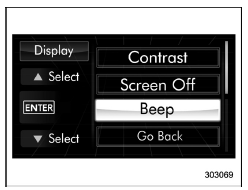
2. Operate the "
 " or "
 " switch to
select the "Beep" item. Then push the
" switch to
select the "Beep" item. Then push the
 button.
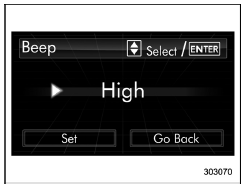
3. Push the button.
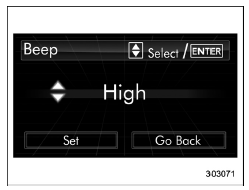
4. Select an item by operating the " " or " " switch. Then push the button.
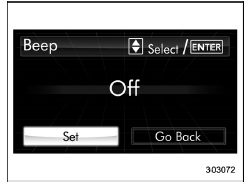
5. Select "Set" by operating the " " switch, and confirm the setting by pushing the button.
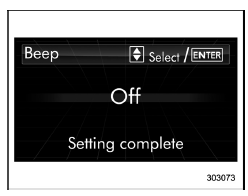
6. The system will notify you that the setting is complete.
 Screen OFF setting
1. Perform the preparation steps according
to "Preparation for image quality and
volume settings"
2. Operate the "
" or "
" switch to
select the "Screen Off" item. Then push
the
...
 Screen settings
The items in screen settings can be set.
To change the items, operate the ""
or
"
" switch, and then push the
button. ...
Other materials:
Unlocking the doors
Press the unlock/disarm button to unlock
the driver's door. An electronic chirp will
sound twice and the hazard warning
flashers will flash twice. To unlock all
doors and the rear gate, briefly press the
unlock/disarm button a second time within
5 seconds.
NOTE
If the interval between the fi ...
SRS airbag system warning light
WARNING
If the SRS airbag system warning light in your Subaru Ascent shows any abnormal
behavior, immediately stop the vehicle in a safe location and contact an authorized
SUBARU dealer for inspection. Failure to properly diagnose and repair the system
may result in the seatbelt pretensioners ...
Voice command system operation
1. Press the talk switch on the steering
wheel.
After the voice command top screen has
been displayed, speech guidance will
commence.
NOTE
When the voice command mode is
audio mode, voice guidance for the
voice command system can be skipped
by pressing the talk switch on the
steering ...
