
Subaru Crosstrek Owners Manual: Journey time
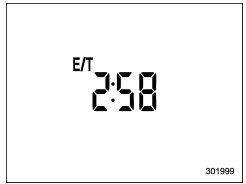
The journey time shows the time that has elapsed since the ignition switch was turned to the "ON" position.
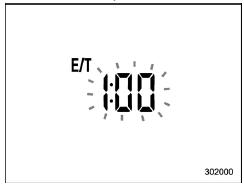
The journey time indication flashes each time a complete hour has elapsed. If the display is giving a reading other than the journey time, the display switches to the journey time, flashes for 5 seconds, and returns to its original reading each time a complete hour has elapsed.
NOTE
The journey time is reset when the ignition switch is turned to the "LOCK"/ "OFF" position. It is also reset if the ignition switch is turned to the "LOCK"/ "OFF" or "ACC" position prior to restarting of the engine.
 Average fuel consumption
U.S.-spec. models
Except U.S.-spec. models
This display shows the average rate of
fuel consumption since the trip meter was
last reset.
Trip knob
Pressing the trip knob toggle ...
 Average vehicle speed
U.S.-spec. models
Except U.S.-spec. models
This display shows the average vehicle
speed since the trip meter was last reset.
Trip knob
Pressing the trip knob toggles the displa ...
Other materials:
Registering a Bluetooth phone for
the first time
To use the hands-free system, it is
necessary to register a Bluetooth phone
with the system.
For details about registering a Bluetooth
device: Refer to "Registering a Bluetooth
Audio device for the first time"
1. Turn the Bluetooth connection setting
of your cell phone on.
This function ...
Dtc b2271 ign relay control circuit
KEYLESS ACCESS WITH PUSH BUTTON START SYSTEM (DIAGNOSTICS) > Diagnostic Procedure with Diagnostic Trouble Code (DTC)DTC B2271 IGN RELAY CONTROL CIRCUITDTC detecting condition:• When malfunction is detected in IG1 and IG2 drive circuits in the keyless access CM.• When malfunction is de ...
Inspection
GLASS/WINDOWS/MIRRORS > Wiper Deicer SystemINSPECTION1. CHECK SYSTEMNOTE:• The wiper deicer does not operate when the ambient temperature becomes 5°C (41°F) or more.• The wiper deicer operates with the rear window defogger at the same time.• It is possible ...
