
Subaru Crosstrek Owners Manual: Initial screen
When the ignition switch is in the "ACC" or "ON" position, the initial screen will be displayed and the system will begin operating.
- When using the SUBARU STARLINK function (if equipped), the display screen may be different from the screen above.
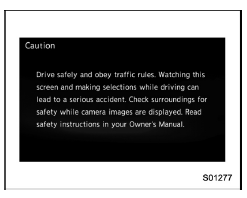
- After a few seconds, the caution screen will be displayed.
- After about 5 seconds, the caution screen automatically switches to the next screen.
 Entering letters and numbers/list screen operation
Entering letters and numbers
When entering the Bluetooth device name
or PIN-code, or the phone number, letters
and numbers can be entered via the
screen.
Enter letters (example: In-Car-Device ...
 Connecting and disconnecting a USB memory/portable device
The USB port and the AUX jack are
located as shown in the following illustration.
NOTE
This unit does not support commercially
available USB hubs.
Turn on the power of the device
when ...
Other materials:
Charge warning light
If
this light illuminates when the engine is
running, it may indicate that the charging
system is not working properly.
If the light illuminates while driving or does
not turn off after the engine starts, stop the
engine at the first safe opportunity and
check the alternator belt. If the ...
Removal
CONTINUOUSLY VARIABLE TRANSMISSION(TR580) > Forward Clutch AssemblyREMOVAL1. Remove the transmission assembly from the vehicle. Automatic Transmission Assembly > REMOVAL">2. Remove the air breather hose. Air Breather Hose > REMOVAL">3. Remove the control valve body. Contr ...
General diagnostic table Inspection
DRIVE SHAFT SYSTEM > General Diagnostic TableINSPECTIONNOTE:Vibration while cruising may be caused by an unbalanced tire, improper tire inflation pressure, improper wheel alignment, etc.SymptomsPossible causeCorrective actionNoise or vibration from propeller shaft• Center bearing• Run ...
