
Subaru Crosstrek Service Manual: Disassembly
STARTING/CHARGING SYSTEMS(H4DO) > Generator
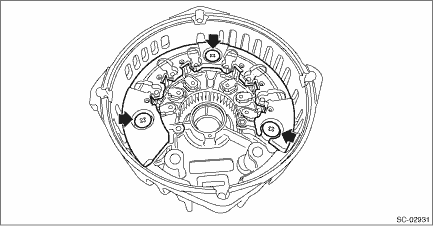
DISASSEMBLY
1. Remove the cap from the generator.
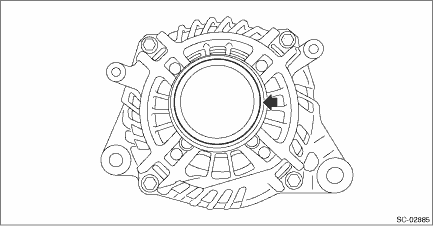
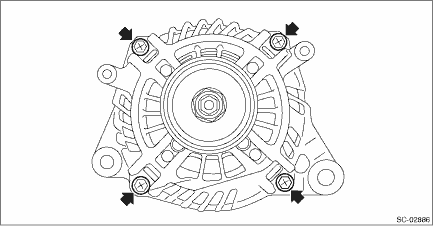
2. Remove four bolts.
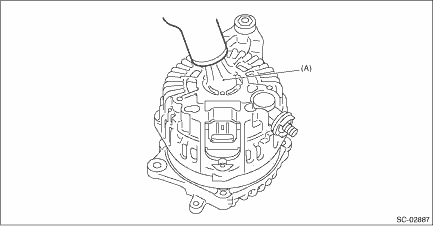
3. Use a drier to heat the rear cover (A) portion to 50 — 60°C (122 — 140°F).
4. Insert a flat tip screwdriver or similar tool wrapped with protective tape into the gap between stator core and the front cover to disassemble.
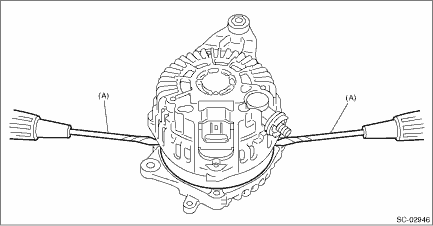
(A) | Flat tip screwdriver |
5. Hold the rotor on a vise and remove the pulley.
CAUTION:
When holding the rotor with a vise, place aluminum plates or wooden pieces on the vise jaws to prevent rotor from damage.
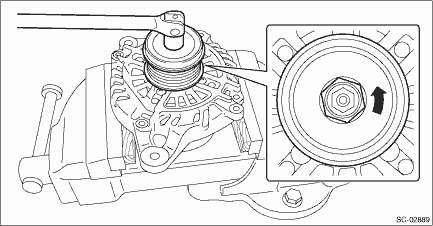
6. Remove the rotor from the front cover.
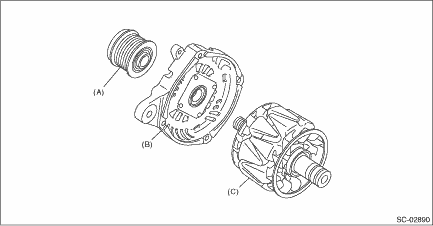
(A) | Pulley | (B) | Front cover | (C) | Rotor |
7. Use the following procedures to remove the ball bearings.
(1) Remove the bolt, and then detach the bearing retainer.
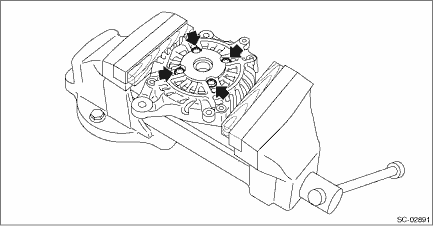
(2) Firmly attach an appropriate tool (such as a correct size socket wrench) to the bearing inner race.
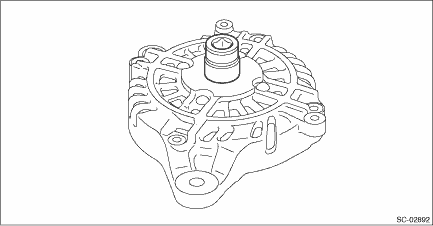
(3) Use the press to push the ball bearings out from the front cover.
8. Using the bearing puller, remove the bearings from the rotor.
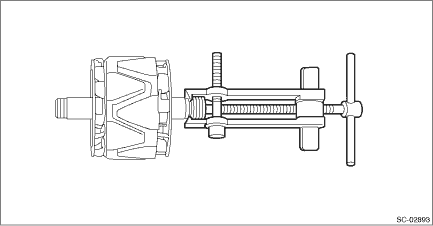
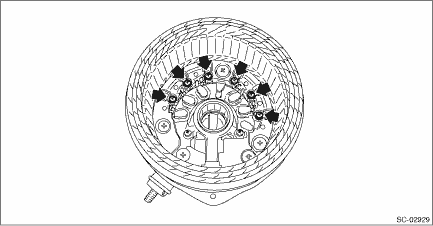
9. Remove six bolts which connect the rectifier and stator coil, then remove the stator coil.
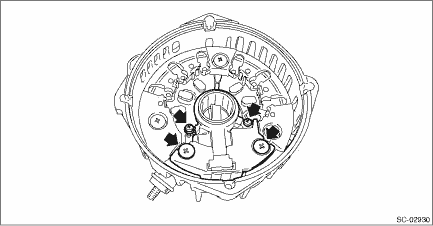
10. Remove four screws which secure the IC regulator to the rear cover, then remove the IC regulator.
11. Use the following procedures to remove the brush.
(1) Remove the cover A.
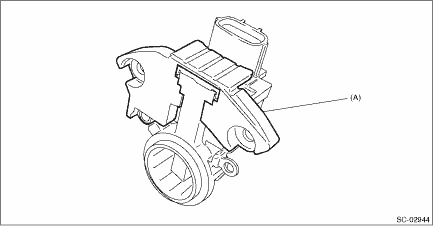
(A) | Cover A |
(2) Remove the cover B.
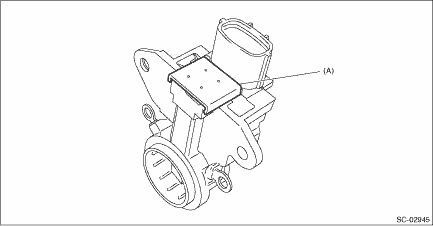
(A) | Cover B |
(3) Disconnect the connection and remove the brush.
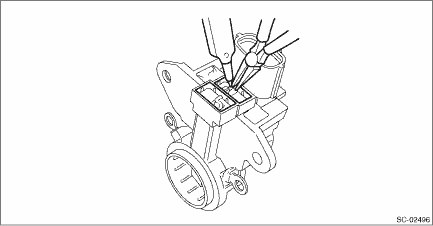
12. Remove the rectifier as follows.
(1) Remove the cover on terminal B.
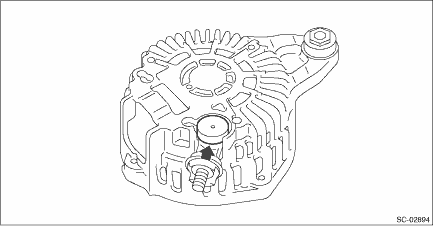
(2) Remove the nut on terminal B.
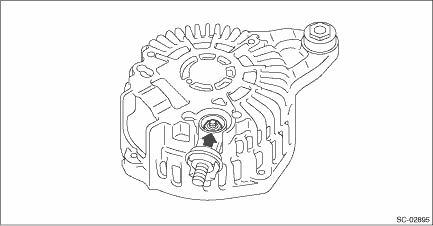
(3) Remove the bolts which secure the rectifier, and remove the rectifier.
 Removal
STARTING/CHARGING SYSTEMS(H4DO) > GeneratorREMOVAL1. Remove the V-belt covers.2. Disconnect the ground cable from battery. NOTE">3. Remove the V-belts. V-belt > REMOVAL">4. Dis ...
 Inspection
STARTING/CHARGING SYSTEMS(H4DO) > GeneratorINSPECTION1. DIODECAUTION:There is the possibility of damaging the diodes if a mega-tester (used to measure high voltages) or a similar measuring instrume ...
Other materials:
System features
BSD/RCTA consists of the following functions.
To detect a vehicle in a blind spot on an
adjacent lane or a vehicle approaching at
high speed while driving the vehicle (Blind
Spot Detection)
To detect a vehicle approaching from
the right or left while reversing the vehicle
(Rear Cross ...
Dtc c0072 abnormal yaw rate sensor output
VEHICLE DYNAMICS CONTROL (VDC) (DIAGNOSTICS) > Diagnostic Procedure with Diagnostic Trouble Code (DTC)DTC C0072 ABNORMAL YAW RATE SENSOR OUTPUTDTC DETECTING CONDITION:Defective yaw rate sensorTROUBLE SYMPTOM:• VDC does not operate.• EyeSight does not operate.STEPCHECKYESNO1.INTERVIEW ...
Ending screen
If "Eco Summary" is set to "On" in the
"Bypass screen setting", the "Fuel consumption
results screen" will be displayed
before the screen turns off when the
ignition switch is turned to the "LOCK"/
"OFF" position.
Fuel consumption results screen
The average fuel consumption for the
e ...
