
Subaru Crosstrek Owners Manual: Economy history setting
1. Perform the preparation steps according to "Preparation for screen settings"
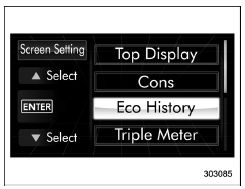
2. Operate the "
 " or "
 " switch to
select the "Eco History" item. Then push
the
" switch to
select the "Eco History" item. Then push
the
 button.
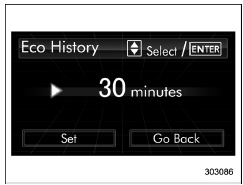
3. Push the button once more.
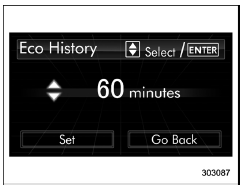
4. Select the time of the logged fuel
consumption history by operating the
" " or "
 " switch, and then push the
 button.
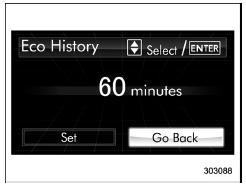
5. Select "Go Back" by operating the " "
switch.
"
switch.
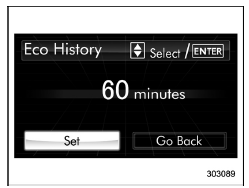
6. Select "Set" by operating the "
"
switch and confirm the setting by pushing
the
button.
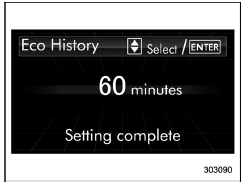
7. The system will notify you that the setting is complete.
 Fuel consumption screen setting
1. Perform the preparation steps according
to "Preparation for screen settings"
2. Operate the "
" or "
" switch to
select the "Cons" item. Then push the
button.
3. Pu ...
 Triple meter setting
1. Perform the preparation steps according
to "Preparation for screen settings"
2. Operate the "
" or "
" switch to
select the "Triple Meter" item. Then push
the
button.
...
Other materials:
Removal
WIPER AND WASHER SYSTEMS > Front Wiper Motor and LinkREMOVAL1. Disconnect the ground cable from battery. NOTE">2. Remove the arm assembly - windshield wiper. Front Wiper Arm > REMOVAL">3. Remove the cowl panel assembly. Cowl Panel > REMOVAL">CAUTION:Before removin ...
Dtc b1407 met communication
IMMOBILIZER (DIAGNOSTICS) > Diagnostic Procedure with Diagnostic Trouble Code (DTC)DTC B1407 MET COMMUNICATIONDTC DETECTING CONDITION:Communication failure between body integrated unit and combination meterCAUTION:When the combination meter is replaced, registration of the immobilizer system is r ...
Power steering
Power steering warning light
Power steering system features
The Subaru Ascent is equipped with a modern electric power steering system designed
to provide precise control, smooth handling, and improved efficiency. When the ignition
switch is turned to the "ON" position, the pow ...
