
Subaru Ascent 2018-2026 Owner's Manual: BSD/RCTA OFF indicator
System temporary stops
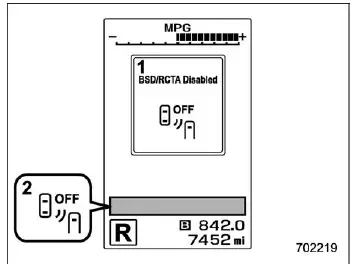
- BSD/RCTA temporary stop message
- BSD/RCTA OFF indicator
In the Subaru Ascent, this message is displayed when the BSD/RCTA system is temporarily suspended due to external or internal conditions that prevent accurate operation.
- Extremely high or extremely low ambient temperatures affecting sensor performance
- Irregular or unstable voltage levels from the vehicle battery
- Significant misalignment or disruption of the radar sensors installed in the rear bumper
Once these conditions return to normal, the Subaru Ascent BSD/RCTA system will automatically resume operation, and the indicator will disappear from the display.
If the indicator remains visible for an extended period, it is strongly recommended to have your Subaru Ascent inspected by an authorized SUBARU dealer to ensure proper system functionality.
System temporary stops due to reduced radar sensitivity
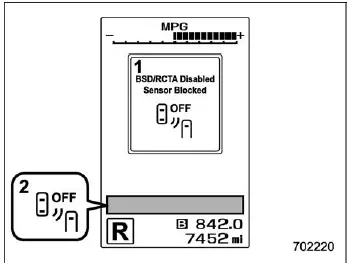
- BSD/RCTA temporary stop message due to reduced radar sensitivity
- BSD/RCTA OFF indicator
This notification appears when the radar sensors in the Subaru Ascent experience reduced sensitivity, which may limit their ability to detect surrounding vehicles accurately. Such situations can occur due to environmental interference, dirt accumulation, or adverse weather conditions.
After the radar conditions improve, the system will automatically recover and resume full functionality. However, if the message persists, professional inspection at a SUBARU dealership is advised.
 BSD/RCTA approach indicator light/warning buzzer
When the BSD/RCTA system in the Subaru Ascent is active, it continuously monitors
adjacent lanes and surrounding areas to enhance driver awareness. The BSD/RCTA approach
indicator light provides a ...
 BSD/RCTA warning indicator
System malfunction
BSD/RCTA malfunction message
At first, this message will appear
Then this message will appear
BSD/RCTA warning indicator
If a malfunction occurs within the BSD/RCTA ...
Other materials:
Two separate circuits
Your vehicle has two separate circuit
brake systems. Each circuit works diagonally
across the vehicle. If one circuit of
the brake system should fail, the other half
of the system still works. If one circuit fails,
the brake pedal will go down much closer
to the floor than usual and you will n ...
Dtc c0038 rl pressure reducing valve malfunction
VEHICLE DYNAMICS CONTROL (VDC) (DIAGNOSTICS) > Diagnostic Procedure with Diagnostic Trouble Code (DTC)DTC C0038 RL PRESSURE REDUCING VALVE MALFUNCTIONNOTE:For the diagnostic procedure, refer to “C0064 NORMAL CLOSING VALVE 2 MALFUNCTION”. Diagnostic Procedure with Diagnostic Trouble C ...
How to contact the vehicle manufacturer concerning modifications for persons
with disabilities that may affect the advanced airbag system
Any modifications to the Subaru Ascent—especially those involving seats, seatbelts,
front structure, steering components, suspension, or floor panels—may directly impact
the operation of the advanced airbag system. This is particularly important when
adapting the vehicle for drivers or pas ...
