
Subaru Crosstrek Service Manual: Disassembly
CONTROL SYSTEMS > MT Gear Shift Lever
DISASSEMBLY
1. Remove the lock wires.
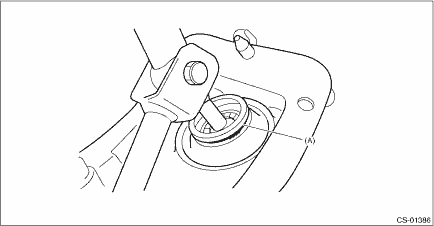
(A) | Lock wire |
2. Remove the rod from gear shift lever.
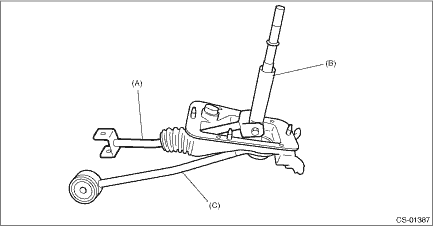
(A) | Rod |
(B) | Lever |
(C) | Stay |
3. Separate the rod and inner boot.
4. Remove the snap ring from the stay.
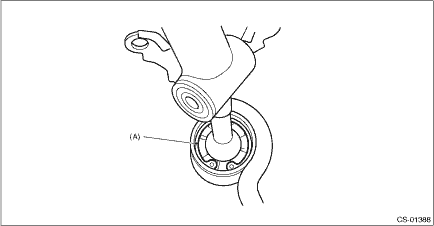
(A) | Snap ring |
5. Separate the gear shift lever and the stay.
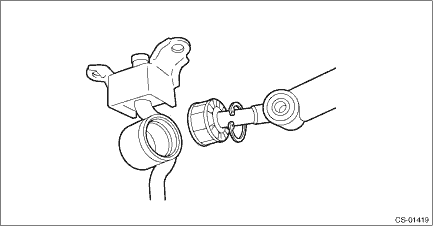
6. Remove the boot and bushing from the gear shift lever.
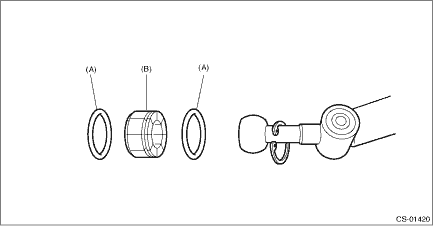
(A) | O-ring |
(B) | Bushing |
7. Remove the spring pin, and then remove the bushing and snap ring.
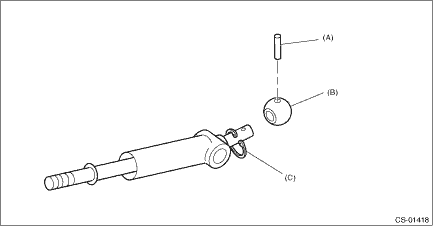
(A) | Spring pin |
(B) | Bushing |
(C) | Snap ring |
8. Remove the boss from the joint.
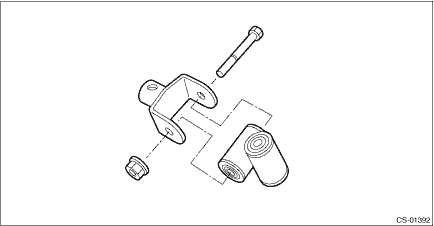
9. Remove the bushing and spacer from the boss.
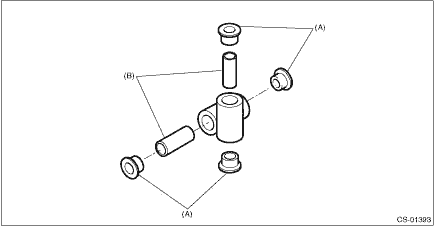
(A) | Bushing |
(B) | Spacer |
10. Remove the bushing and cushion rubber from the stay.
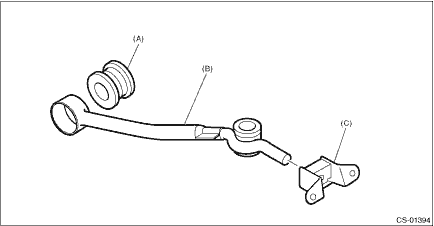
(A) | Bushing B |
(B) | Stay |
(C) | Cushion rubber |
 Removal
CONTROL SYSTEMS > MT Gear Shift LeverREMOVAL1. Disconnect the ground cable from battery. NOTE">NOTE:For model with battery sensor, disconnect the ground terminal from battery sensor.2. Rem ...
 Inspection
CONTROL SYSTEMS > MT Gear Shift LeverINSPECTION1. Check the parts (bushing, cushion rubber, spacer, boot, stay and rod, etc.) for deformation, damage and wear. If necessary, correct or replace faul ...
Other materials:
Reverse Automatic Braking (RAB) system
The Reverse Automatic Braking (RAB) system in the Subaru Ascent is an advanced
safety feature developed to help minimize the risk of collisions when reversing.
By continuously monitoring the area behind the vehicle, the Subaru Ascent can detect
obstacles such as walls or stationary objects and ...
Safety precautions
CAUTION
People with delicate skin may
suffer slight burns even at low
temperatures if they use the seat
heater for a long period of time.
When using the heater, always be
sure to warn the persons concerned.
Do not put anything on the seat
which insulates against heat,
such as a ...
Removal
HVAC SYSTEM (HEATER, VENTILATOR AND A/C) > FRESH/RECIRC Door ActuatorREMOVALCAUTION:Before handling the airbag system components, refer to “CAUTION” of “General Description” in “AIRBAG SYSTEM”. General Description > CAUTION">1. Disconnect the ground ...
