
Subaru Crosstrek Service Manual: Disassembly
CONTINUOUSLY VARIABLE TRANSMISSION(TR580) > Front Differential Assembly
DISASSEMBLY
1. DIFFERENTIAL CASE ASSEMBLY
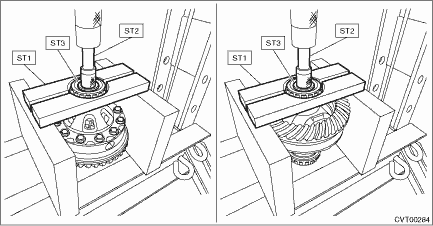
1. Remove the taper roller bearing using the ST.
| ST1 498077000 | REMOVER |
| ST2 899864100 | REMOVER |
| ST3 398497701 | SEAT |
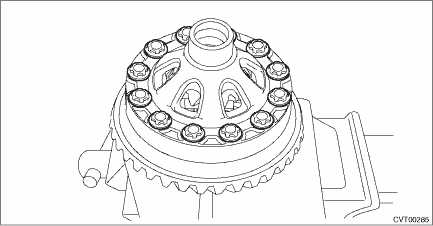
2. Remove the hypoid driven gear mounting bolt using the ST.
| ST 18270KA020 | SOCKET (E20) |
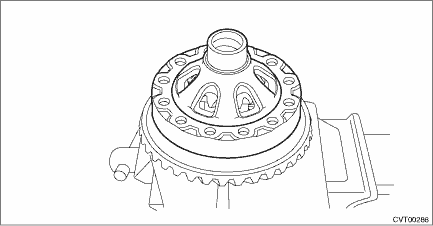
3. Remove the differential case (LH).
4. Remove the differential bevel gear and washer from differential case.
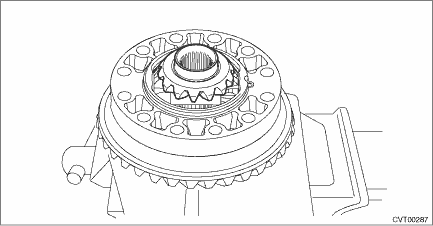
5. Remove the straight pin.
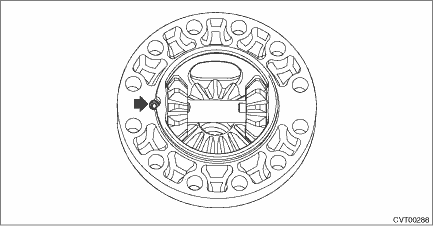
6. Remove the pinion shaft, then remove the differential bevel gear, washer and differential bevel pinion.
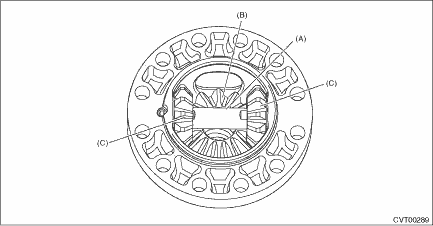
(A) | Pinion shaft |
(B) | Differential bevel gear |
(C) | Differential bevel pinion |
2. SIDE RETAINER
NOTE:
After adjusting the drive pinion backlash and tooth contact, replace the oil seal and O-ring with new parts.
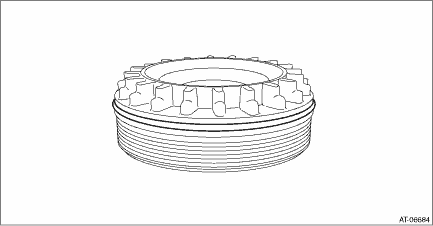
1. Remove the O-ring.
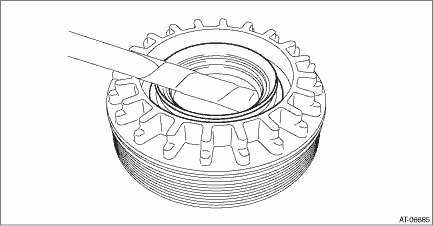
2. Remove the oil seal.
 Assembly
CONTINUOUSLY VARIABLE TRANSMISSION(TR580) > Front Differential AssemblyASSEMBLY1. DIFFERENTIAL CASE ASSEMBLY1. Install the washer and differential bevel gear into the differential case (RH).2. Inst ...
 Inspection
CONTINUOUSLY VARIABLE TRANSMISSION(TR580) > Front Differential AssemblyINSPECTION• Check each component for scratches, damage or other faults.• Using the ST, check the backlash of pinio ...
Other materials:
Inspection
HVAC SYSTEM (HEATER, VENTILATOR AND A/C) > Control PanelINSPECTION1. CHECK ILLUMINATION1. Check the illumination operation when battery voltage is applied between the terminals of control panel.• Manual A/C modelTerminal No.Inspection conditionsSpecificationConnection diagram14 (+) — 12 ( ...
Basic screens
In the Subaru Ascent, the set of basic screens can be conveniently switched using
the
or
controls located on the steering wheel. This allows the driver to quickly access
key driving data without distraction, ensuring both convenience and safety while
operating the Subaru Ascent.
Avera ...
Dtc u1500 keyless uart com. Malfunction
BODY CONTROL SYSTEM (DIAGNOSTICS) > Diagnostic Procedure with Diagnostic Trouble Code (DTC)DTC U1500 KEYLESS UART COM. MALFUNCTION1. MODEL WITHOUT KEYLESS ACCESS WITH PUSH BUTTON START SYSTEMDTC detecting condition:UART between the TPMS & keyless control module or keyless entry CM and the bod ...
